
Uninstall the extension
Remove the Shared Email Templates for Gmail extension from Chrome: from its icon next to the address bar, the Extensions menu or the extensions manager.
If you see the extension icon next to the address bar
- 1.
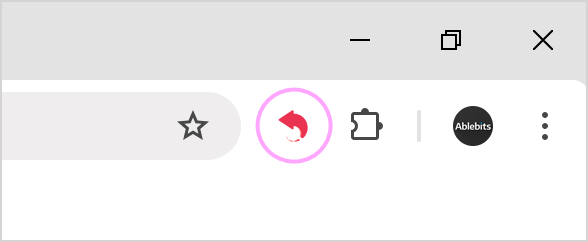
Find the Shared Email Templates icon to the right of the address bar.
- 2.
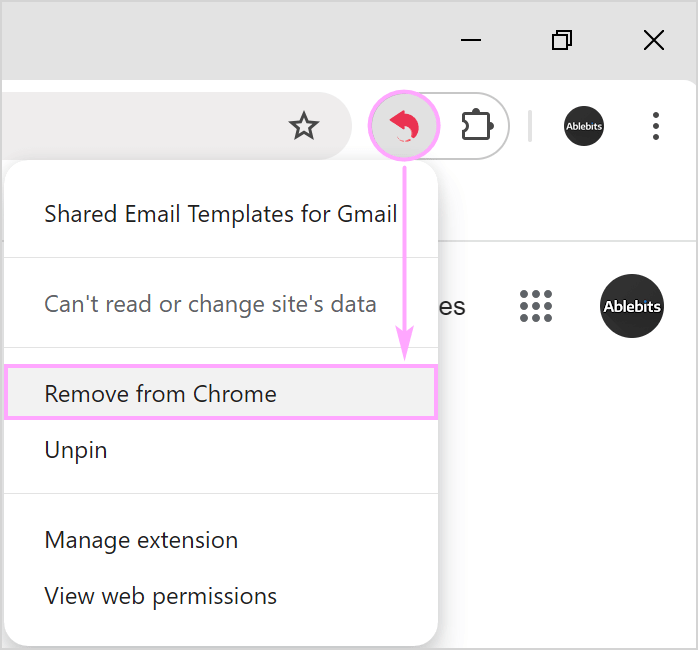
Right-click it and choose Remove from Chrome.
- 3.
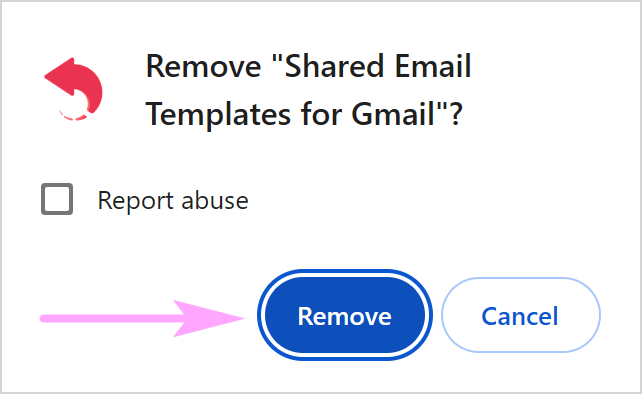
Click Remove to confirm.
If you don’t see the extension icon next to the address bar
- 1.
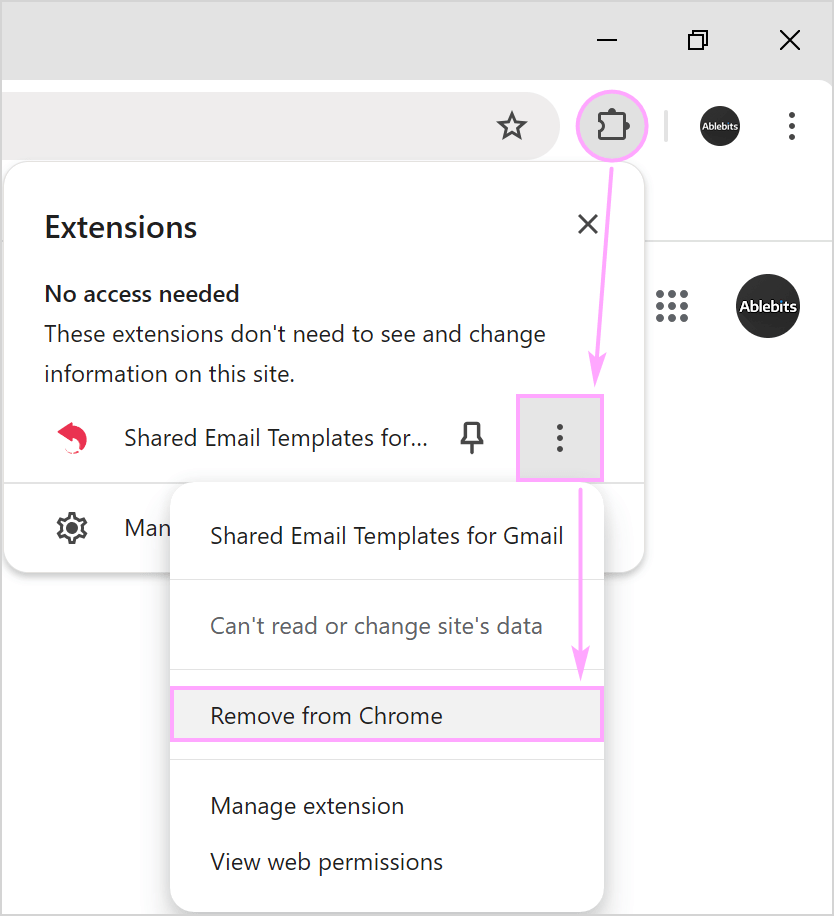
Click Extensions, open More options (three dots) next to Shared Email Templates and choose Remove from Chrome.
- 2.
Click Remove to confirm.
Or remove it from the extensions manager:
- 1.
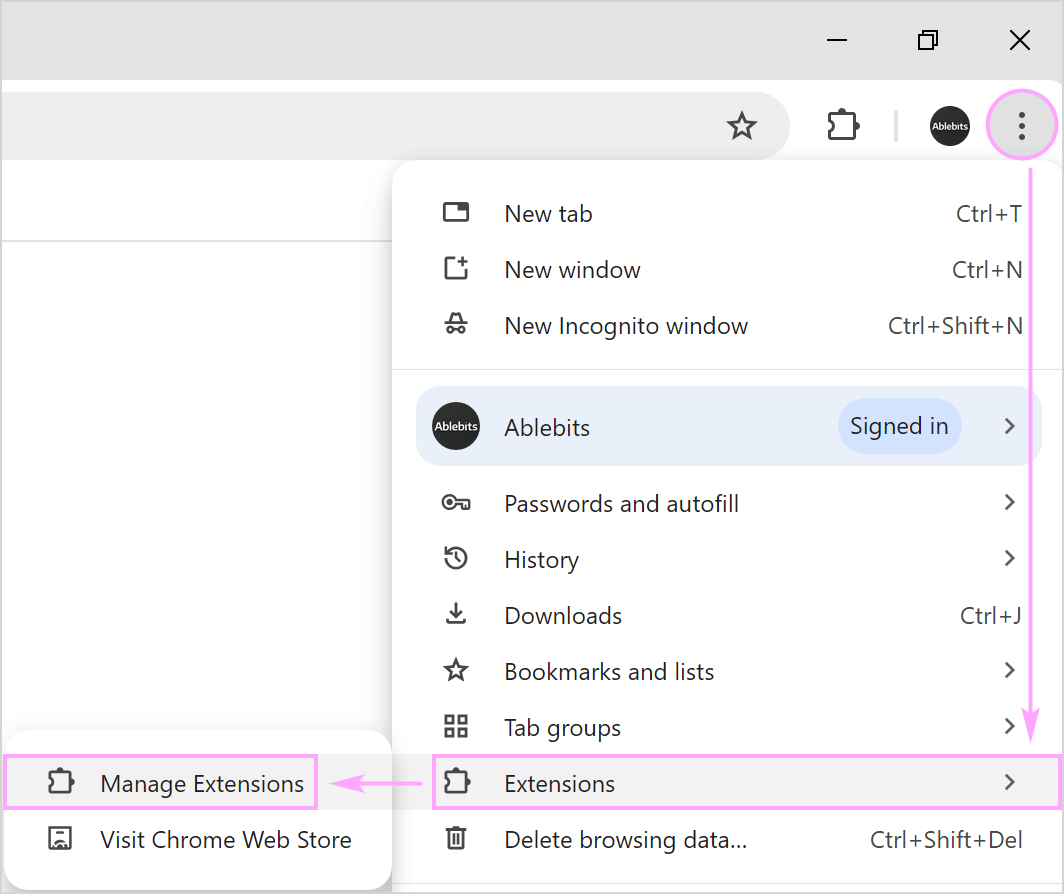
Open More › Extensions › Manage Extensions.
- 2.
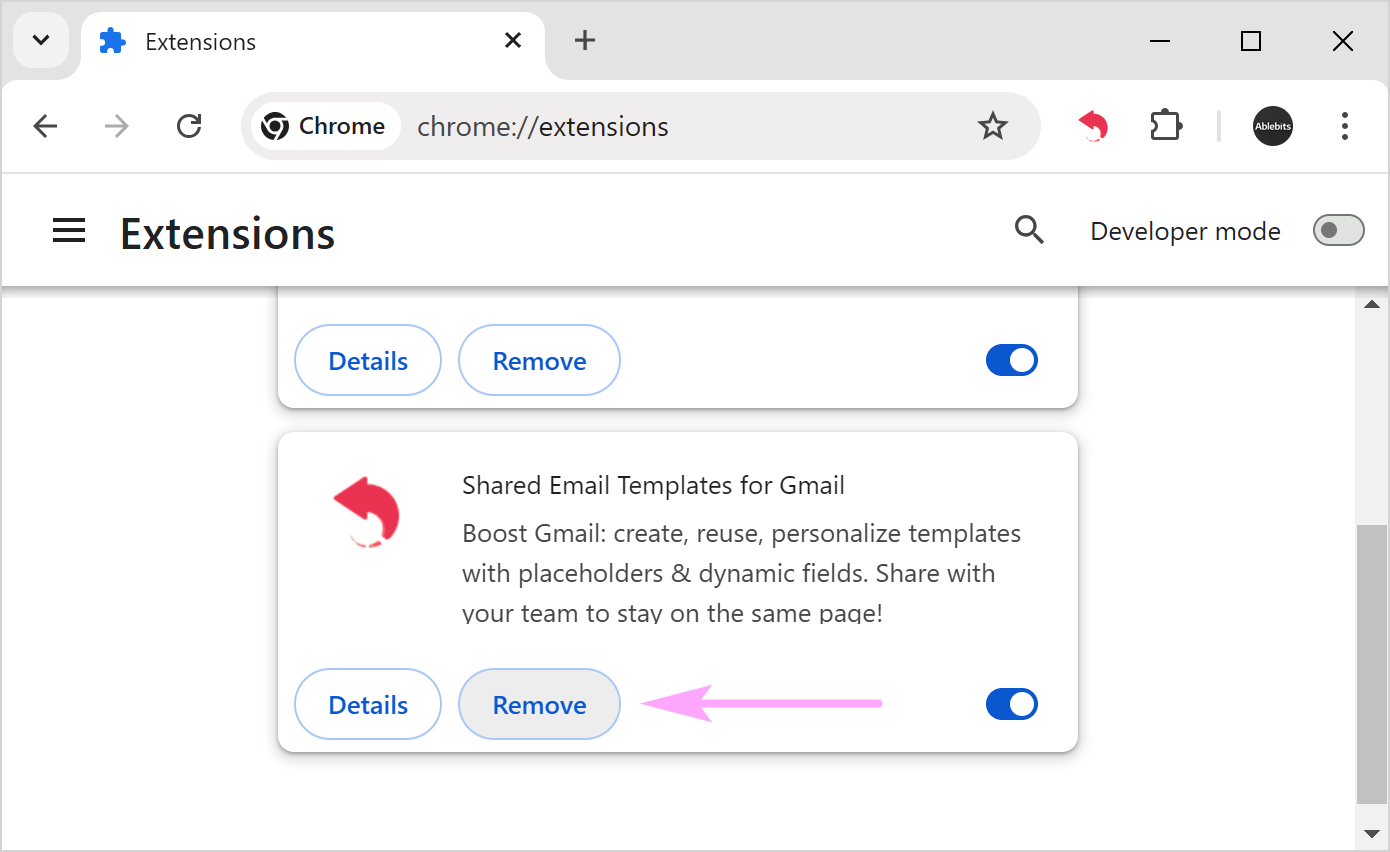
Find Shared Email Templates and click Remove.
- 3.
Click Remove again to confirm.