
Skip to content
Shared Email Templatesextension for Gmail
HomePricingGuidesHelpAbout usLegal
Sign in (opens in a new tab)Add to Gmail (opens in a new tab)

Help

  • Welcome to Shared Email Templates & Signatures
  • System requirements
    • Install from Chrome Web Store
    • Sign up, sign in and open the panel
    • Create and edit a template
    • Insert a template into an email
    • Attach files
    • Insert pictures
    • Links
    • Personal signatures
    • Team signatures
    • Company signatures
    • Fill To, Cc, and Bcc
    • Greetings and names
    • Insert the date
    • Text field
    • Drop-down list
    • Date and time pickers
    • What a dataset is
    • Google Sheets dataset
    • Insert a macro
    • Create a team
    • Share templates and permissions
    • Accept an invitation and join a company account
    • Create user accounts and invite colleagues
    • Activate and assign a subscription key
    • Known issues
    • Troubleshooting
    • Uninstall the extension
  • Differences between Outlook and Gmail versions

HelpYour templates

Insert a template into an email

Find a template in the Shared Email Templates pane and insert it into a new email or a reply with one click, or insert only part of its text.

Start a new email or a reply, find the template in the pane and insert it with one click.
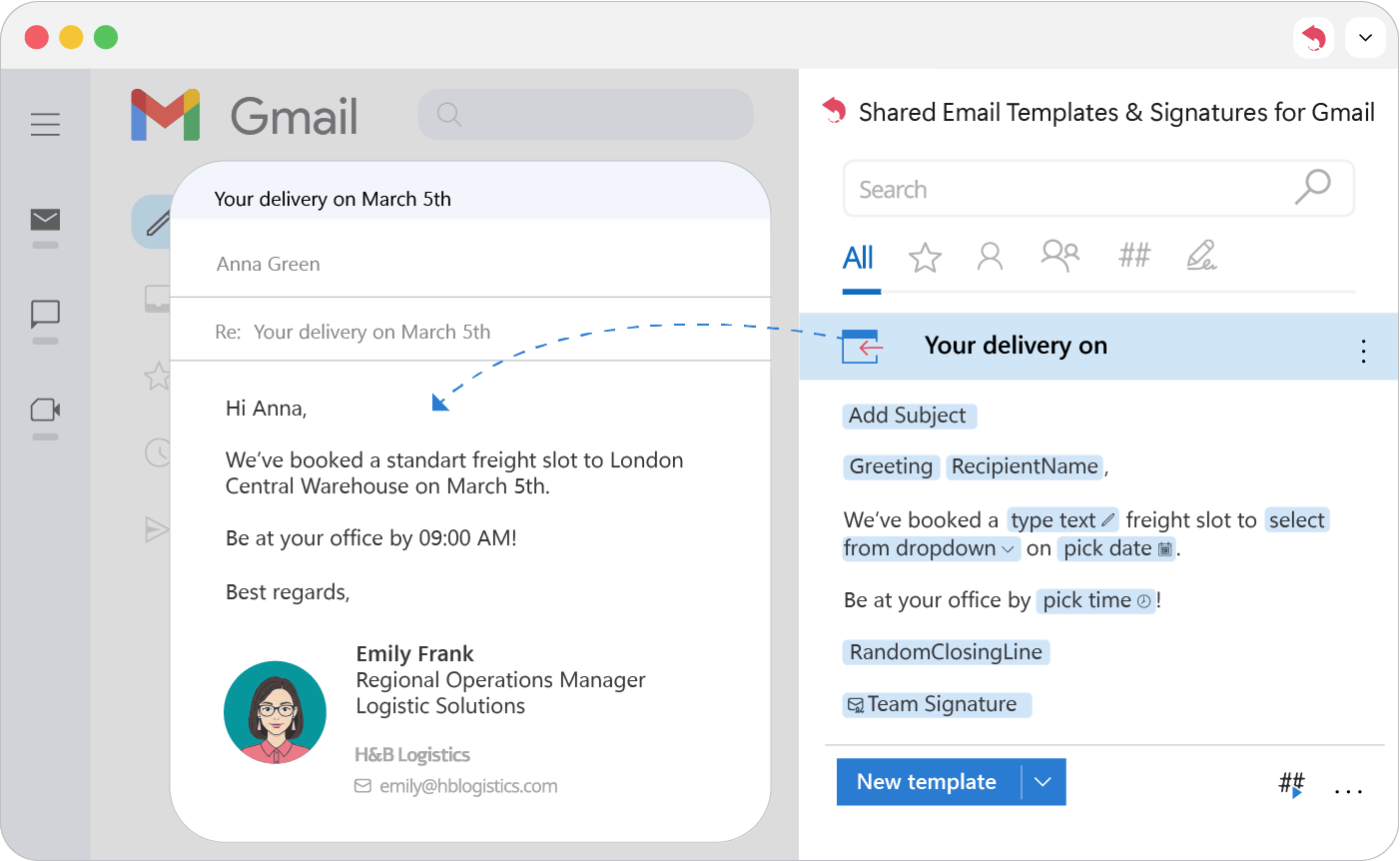
Finding a saved template in the extension pane and inserting it into a Gmail reply with a single click.

Tip

To insert only part of a template, select that text first, then click Insert.

See also

  • Create and edit a template
  • Sign up, sign in and open the panel
PreviousCreate and edit a template
NextAttach files
APPS4GS (opens in a new tab)Shared Email Templates & Signatures for Gmail is made by Mikalai Mikhuta JDG dba APPS4GS

Product

  • Features
  • Pricing
  • Add to Gmail (opens in a new tab)
  • For Outlook (opens in a new tab)

Resources

  • Guides
  • Help

Company

  • About us
  • Contact us
  • APPS4GS.com (opens in a new tab)
  • Ablebits.com (opens in a new tab)

Legal

  • Privacy policy
  • Terms of use·DPA
  • Cookies policy
  • Cookie settings
© 2026 Mikalai Mikhuta JDG. All rights reserved.
LinkedIn (opens in a new tab)YouTube (opens in a new tab)

We’d like to use cookies to measure how this site is used, so we can improve it. We use Google Analytics for this, and nothing loads unless you accept. Cookies policy