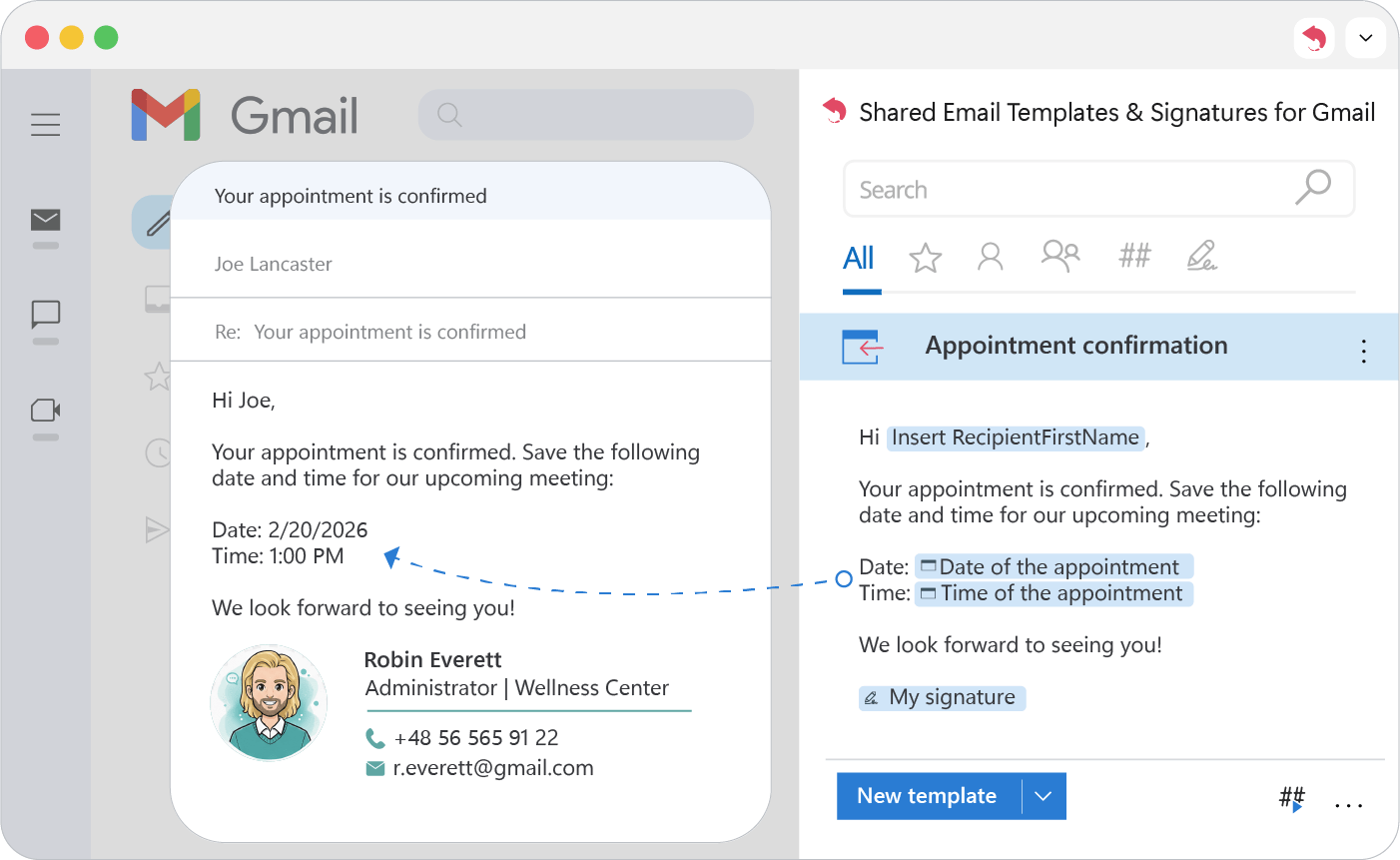
Date and time pickers
Add a date or time picker to a Gmail template: pick from a calendar or a list each time you insert it, with an optional suggested date or time.
Date picker
- 1.
Place the cursor where the date should go.
- 2.
Click Insert macro and choose What to enter (WTE).
- 3.
On the General tab, set Type to Date.
- 4.
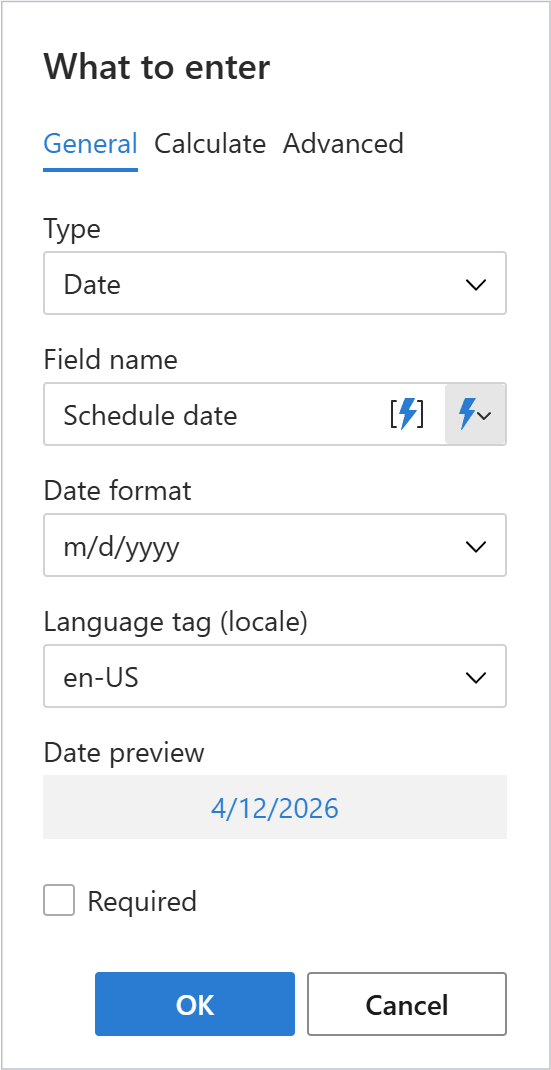
Set up the picker:
- Field name: a label.
- Format: how the date looks.
- Required: no email goes out without a date.
- 5.
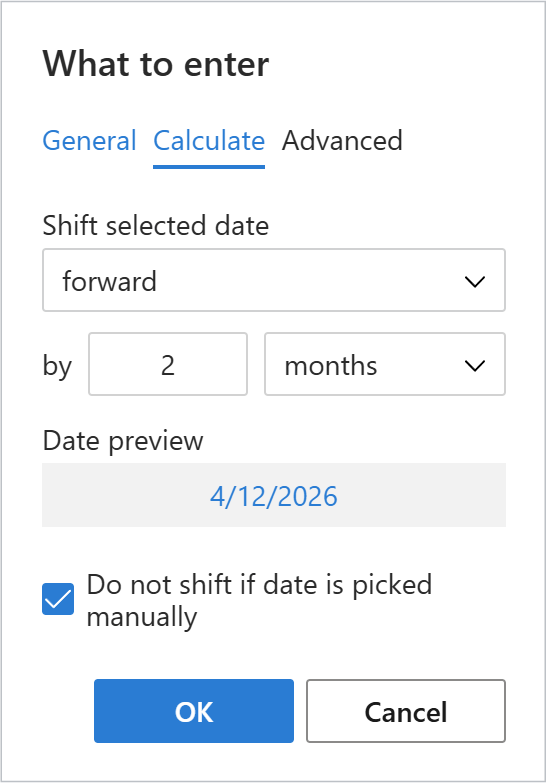
(Optional) On the Calculate tab, shift the suggested date by days, months or years.
Note
With Do not shift if date is picked manually on, a date you pick yourself isn’t changed by the calculation.
- 6.
Click OK and save the template.
- 7.
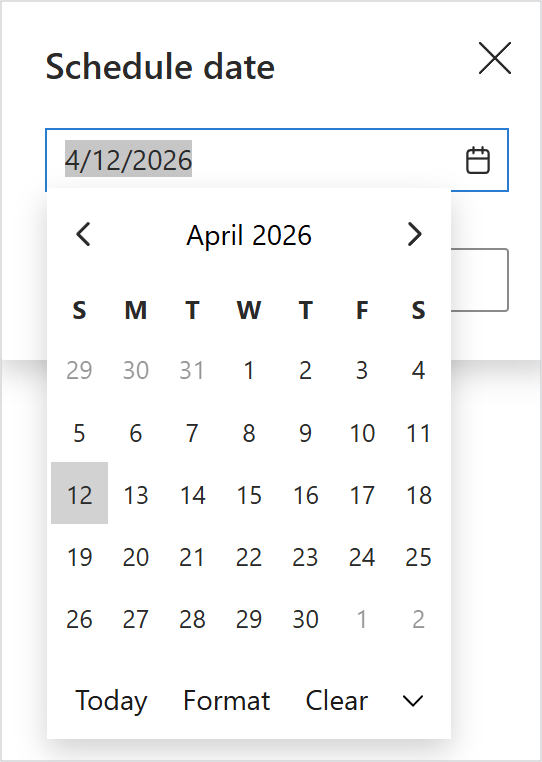
When you use the template, a calendar opens. Keep the suggested date or pick another.
Time picker
- 1.
Place the cursor where the time should go.
- 2.
Click Insert macro and choose What to enter (WTE).
- 3.
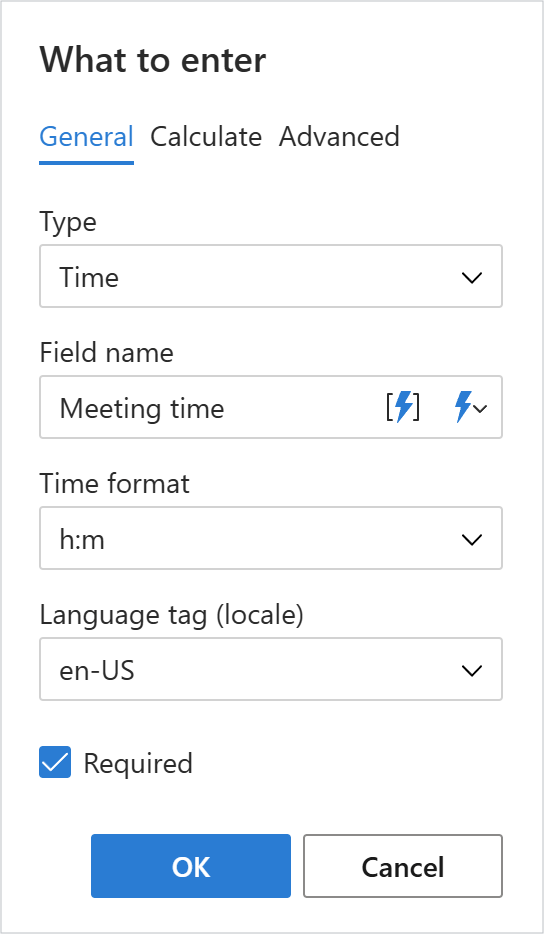
On the General tab, set Type to Time.
- 4.
Set up the picker:
- Field name: a label.
- Format & Language: time format and language tag.
- Required: a time must be chosen before sending.
- 5.
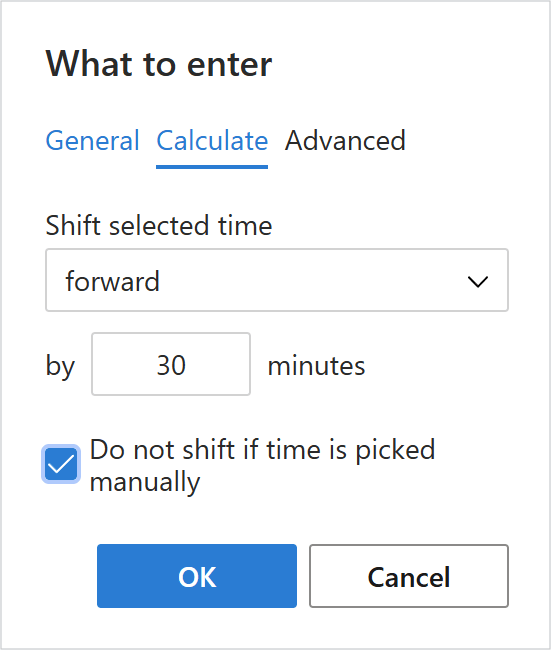
(Optional) On the Calculate tab, shift the suggested time forward or back.
Note
With Do not shift if time is picked manually on, a time you pick yourself isn’t changed by the calculation.
- 6.
Click OK and save the template.
- 7.
When you use the template, pick a time from the list or keep the suggested one.
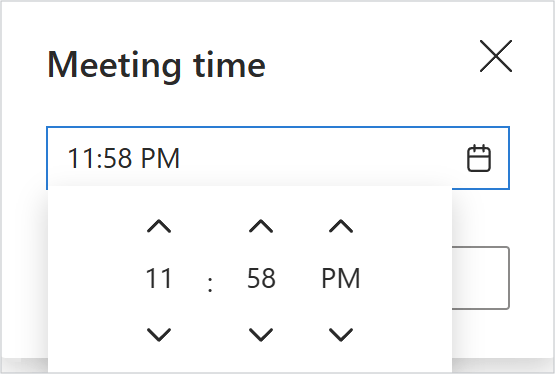
Dates and times land in the finished email without any typing.